RAD-IO2 Logo

Contents:

  • 1. Safety and Other Important Notices
  • 2. Introduction and Overview
  • 3. A Tour of RAD-IO2 Hardware
  • 4. Physical Setup & Installation
  • 5. Installation & Configuration Guide
  • 6. RAD-IO2 CALIBRATION
  • 7. Device Dimensions
  • 8. FAQ (Frequently Asked Questions (full solutions are in the manual))
  • 9. Support Contact Information
  • Buy Now
RAD-IO2
  • RAD-IO2

RAD-IO2

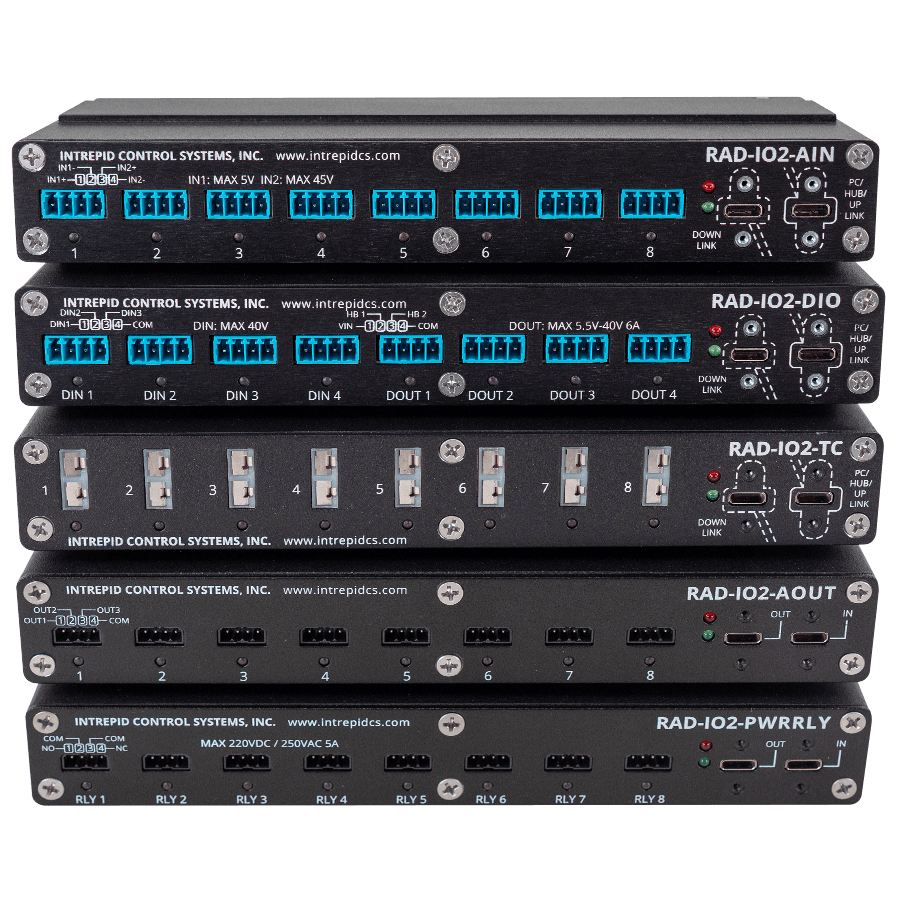
Isolated Analog, Digital or Temperature Interface to USB and CAN

_images/RAD-IO2_Stack.png

Contents:

  • 1. Safety and Other Important Notices
  • 2. Introduction and Overview
    • 2.1. Introduction
    • 2.2. Package Contents
    • 2.3. Summary of Key Features
  • 3. A Tour of RAD-IO2 Hardware
    • 3.1. RAD-IO2-TC Thermocouple Module
    • 3.2. RAD-IO2-AIN Analog Input Module
    • 3.3. RAD-IO2-AOUT- Analog Output Module
    • 3.4. RAD-IO2-PWRRLY Power Relay module
    • 3.5. RAD-IO2-DIO Digital In/Out module
  • 4. Physical Setup & Installation
    • 4.1. Mechanical Assembly: Daisy-chaining and Jumper Plates
    • 4.2. Configuration A: Direct-to-PC (USB Mode)
    • 4.3. Configuration B: CAN-HUB Integration (Network Mode)
    • 4.4. Power Management: Current Limits and USB Requirements
  • 5. Installation & Configuration Guide
    • 5.1. Physical Setup & Installation
    • 5.2. RAD-IO2 Configuration Utility
    • 5.3. CAN-HUB Device Configuration
    • 5.4. Using the RAD-IO2 with Intrepid Hardware
    • 5.5. Configure RAD-IO2-AOUT - Analog Output Module
    • 5.6. Configure RAD-IO2 RELAY Module
    • 5.7. Configure RAD-IO2 DIO Module
  • 6. RAD-IO2 CALIBRATION
  • 7. Device Dimensions
  • 8. FAQ (Frequently Asked Questions (full solutions are in the manual))
  • 9. Support Contact Information
    • 9.1. USA Headquarters
    • 9.2. ICS International Offices
  • Buy Now
Next

© Copyright 2026, Intrepid Control Systems.

Built with Sphinx using a theme provided by Read the Docs.